if you feel bore and want to relax
Enjoy www.afcgame.com

Saturday, August 7, 2010

Historia v3.20

Historia v3.20 | Read more...
Price: Free

Description
This program will give you many advantages over the built in call history of Windows Mobile.

* Have you ever wanted to filter a number in your call log?
* Have you ever wanted to see more numbers on each screen ?
* Have you ever needed to view the details of each call without having to tap on each number ?
* Have you tried to copy a number to the calendar or to a note and found out it's impossible to copy a number from the call log ?
* Do you get many incoming calls from customers and want to see when you talked with each in the past ?
* Do you have missed calls from unknown callers and want to see if you talked with them before ?
* Do you want to see what are the longest calls you make, so you can control your expenses better ?
* Do you want to backup your calls and export them to excel?
* Do you want to be able to have more than 300 calls in your call log?
* Do you want to see the current price of your calls and older bills? (Historia 3)

If you answered yes to one or more questions, then you must have Historia.

* Detailed information on each call , shown nicely in a table.
* Many lines of calls per screen depending on the size of font you choose in the application settings.
* Calls are saved in a CSV file in My documents folder. you can open it with excel in your Computer, and work on the data as you wish.
* Colors, each type of call is colored differently: Red - Incoming, Green - Outgoing, Yellow - Missed.
* Filtering option, by type of call or by number.
* Calling a number from within Historia.
* Sending SMS.
* Copying a number to the clipboard. (Historia 3).
* Saving a number to the contacts.
* Deleting calls.
* Specifying the limit of number of calls which will be saved to the csv file up to 100,000 calls.
* Automatic updating of the call list when new calls are made.
* Column width can be changed by the user and the settings are saved.
* Changing the font type and size.
* Price Calculation.
* Searching for a number or part of a number.

Requirements:
Windows Mobile Pocket PC 5 , 6 , 6.1, ppc2003, .Net CF 2 sp1

DoodleJump2 v2.00

DoodleJump2 v2.00 | Read more...
Price: Free

Description
Play the popular Doodle jump game for your WVGA device. Platforms appear and dissapear randomly, try to reach the highest score. Enemy drill randomly appears from the sky.

Requirements:
Windows Mobile Pocket PC 6.1,6.5, 480x800 resolution only WVGA

YosSoft - ESC Player v0.20

YosSoft - ESC Player v0.20 | Read more...
Price: Free

Description
Every may, all of Europe gets together to watch this show... Everybody has a favourite Eurovision song... Download this (free) app to listen to the radio stream. think you know all songs, states, and years? well, great! you can now compete in the guessing game of the ESC Player. have fun!!! what did we change in this version? * Scores are updated automatically now in YosSoft website. * the app requires TCPMP to play the stream. if you don't have it, the app downloads and installs it. Europe, start guessing!

Requirements:
.net cf, (w)vga, windows mobile 5 and up TCPMP player.

Wake on Wan v1.20

Wake on Wan v1.20 | Read more...
Price: Free

Descripiton
This new Windows Mobile application can wake up hosts in a network or over the Internet. Your networkcard and/or PC must support AMD's Wake-On-Lan (WOL), but most networkcards and PC's do support this nowadays.

Features
# Use Win32 Sense SDK.
# Sources files available!
# Stores hostname, MAC address and port number using registry.
# Wakes up a host in a local area network (LAN) or in a remote area network (WAN)
# Support for all screen resolutions

Requirements
# A Windows Mobile 6 Smartphone or PocketPC device with access to WAN (wifi/3G/GPRS...)
# Computers in your network that support Wake-On-Lan

Age Calculator v1.00

Age Calculator v1.00 | Read more...
Price: Free

Description
Software calculates age on selecting birthdate. The software allows easy to pick date through calendar picker. Very good and decent bold interface for clear viewing. I have restricted age to year and months display. I would really appreciate your suggestions and comments.

Requirements:
Windows Mobile Pocket PC 5 , 6 , 6.1

Timeo for Mobile - Lite Edition v1.10

Timeo for Mobile - Lite Edition v1.10 | Read more...
Price: Free

Description
Timeo for Mobile is a time tracking application that enables to track, directly on your handhelp your working time, projects you work on and tasks you perform. Timeo is simple to use, with an intuitive and finger friendly interface to easily and quickly store the start or the end of a task. Many features ( favorites, recent tasks list, pause button, resume button, ... ) allow to start or end a task in just one or two clicks. At anytime, you can create simple and accurate reports to know in details tasks you have performed on a specific period.

Thursday, August 5, 2010

myPlayer v1.70

myPlayer v1.70 | Read more...
Price: Free

Description
myPlayer is a light-weight application that provides access to BBC iPlayer, Live TV and On Demand services directly - eliminating the requirement of a (flash-enabled) mobile browser.


Features:
- Choose your own media player - define how each stream is played (CorePlayer v1.3.6 is recommended)
- Full iPlayer integration - browse the Mobile content as you would from any other supported device (including the search feature)
- Download high quality BBC iPlayer episodes directly to your device for offline viewing
- Live TV channels - watch the popular terrestrial channels live (BBC, ITV, Channel 4, Five, etc.)*
- SBS Australia - content from the Special Broadcasting Service**
- Extensive TV feed index - hundreds of live TV feeds from around the globe
- Live Radio stations - a selection of BBC broadcasts
- Custom TV / Radio stations - add your favourites
- Search History - tracks the most recent searches for easy access

Requirements:
A media player that supports RTSP streaming and the mpeg4 codec (CorePlayer v1.3.6 is recommended);

JRTopSoft - Music Trainer v1.00

JRTopSoft - Music Trainer v1.00 | Read more...
Price: Free

Description
Music Trainer is an exciting game wherein at the same time, you can be trained by Music Notes. It is so perfect for all musicians or music lovers specially for those who are learning Piano and other Instruments that is capable of reading music notes. It is exciting because of different levels you will encounter.

LEVELS:

There are Ten Level Challenges you will encounter With Top Scores Recorded so you may challenge your musician friends and enjoy!

FREE TRIAL VERSION INCLUDES...
Ist Level: C,D,E notes trainer with Scores and Speed Points and Accuracy
2nd Level: C,D,E,F,G notes trainer with Scores and Speed Points and Accuracy
3rd Level: F,G,A,B,C notes trainer with Scores and Speed Points and Accuracy

You may Enjoy the "FULL GAME" Levels and Features when you purchase the Full Version of the Game With Sharp Keys so you may be fully trained in reading notes.
You Can Buy It at PocketGear: CLICK HERE TO PURCHASE This is the Product Website: http://jrtopsoft.webs.com

This game is designed specially for musicians such as piano players, violinist, and other musical instruments that reads notes.
There is a Piano Keyboard for Pianists
and Just Letter buttons for others who dont play piano.
We are thinking widely about this unique kind of game and we are still planning to develop more that has more features and functions. Helping us grow can help us develop more in the future.
-JRTopSoft

Requirements:
Windows Mobile/Phone 2003, 5, 6.1, 6.5, 7 .Net Compact Framework 2.0 or higher

Finesse-Calc v1.00

Finesse-Calc v1.00 | Read more...
Price: Free

Description
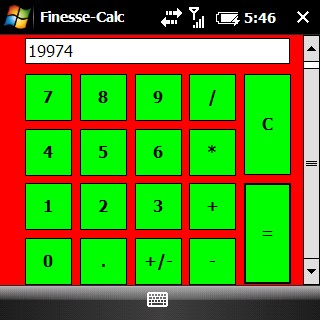
This is my first Windows Mobile App and I hope that it works on all devices. It is written in .NET CF and geared towards Windows Mobile 6.1 Devices! It has big finger friendly buttons great for touchscreens but should work without a normal screen. Installation Instructions: 1) Download the CAB file and transfer it onto your device via ActiveSync or any other synchronization tool. 2) Run the cab file with File Explorer or your choice of file explorer type. 3) Install onto device or Memory Card (it is a small program only 15 or so KB) If you like the software please comment! Thanks

Sorry IM Late v1.50

Sorry IM Late v1.50 | Read more...
Price: Free

Description
People are always in a hurry to get somewhere. A common issue is to inform someone waiting for us that we are, let’s say, a bit late and maybe reassure him that we will be there in some time. It would be great if we could send a message to that someone telling him our approximate location and an estimate time to reach the destination ( maybe along with some excuses ) Sorry I'M Late was developed to achieve this task. This application allows a user to get his aproximate location and then send it to someone else though an SMS. While the idea itself is not new, my objective was in the first instance to create a User Interface as easy and friendly i could, secondly I wanted to exploit CellID localization instead of GPS. The last thing i wanted to do was to provide a more human readable message to be sent: most of the application i've tested, use GPS positioning to get a precise localization but then they send Latitude and Longitude coordinates or Google Maps links and usually when i want to tell someone where i am, i use street names instead of coordinates Some features: * Doesn't require GPS antenna * Finger friendly UI thanks to SenseSDK from Steady Software * Call history access to guess the most probable recipients * Native SMS application used to send message to allow last minute changes * Currently localized in 12 different languages (English, Italian, Czech, Polish, German, French, Spanish, Portoguese, Russian, Dutch, Swedish and Japanese) *new v 1.5* * Support for custom messages via template *new v 1.5* * Reduced bandwidth usage *new in v 1.5.1

Requirements:
Windows Mobile Pocket PC 5 , 6 , 6.1 .NET Compact Framework 3.5 required data connection is used to retrieve street names so be aware of this before you start the application

Get Lyrics of Songs v1.00

Get Lyrics of Songs v1.00 | Read more...
Price: Free

Description
Get Lyrics is a windows Mobile application which lets users to download lyrics of songs and store them in the local database.
It's very easy to use and self explanatory. This is a best application for Music freaks.
You can store a lot of songs into its database. Kinetic scrolling allows you fast and easy access to your music.You will find yourself singing your favorite songs with the exact words. Comes with few pre stored lyrics but you can add your own anytime with just few clicks.
Don't wait and Try this Application now.. its absolutely FREE
For reporting any bug please send on depinder@gmail.com , bugs will be resolved and will be incorporated in new version.

MiCarrito Shopping List v1.39

MiCarrito Shopping List v1.39 | Read more...
Price: Free

Description
MiCarrito helps you manage your shopping list in an easy and intuitive way.Sort your shopping list by product categories. Create recipes defining their ingredients and add the ingredients in a recipe directly to the list.
Once in the supermarket, you can move the products from the list to the shopping cart/trolley as you put them into the cart.
As you fill your cart, you will be able to see how many products are in it and how much money your shopping costs.
For each product you can select the unit of measure and its price; and see the quantity that you’ve bought of that same product lately.

With MiCarrito you can:
- Manage your shopping list in an easy and intuitive way.
- Add all the ingredients in a recipe to the list in a couple of clicks.
- Once in the supermarket, you will know exactly how many items there are in your cart.
- Quickly synchronize, export and import your data.
- Finger-friendly and easy interface.

Localized in English, Spanish, Russian, Deutsch, Polish, Italian, Portuguese, Swedish, French, Hebrew, Danish, Korean and Chinese.

v.1.39
- Fixed bug related to textboxes and compact qwerty or phone keypad.
- Improved usability for product availability feature
- Added Greek localization (thanks to geogeo.gr)
- Fixed Portuguese localization
- Fixed English localization
v.1.37
- Fixed category choice form
- Fixed Italian localization
- Fixed German localization
- Fixed Ordering forms

Wednesday, August 4, 2010

Towers of Glennoi school edition v4.00

Towers of Glennoi school edition v4.00 | Read more...
Price: Free

Description
The famous Tower of Hanoi game.

New Theme
Save your game
2 Game modes
Highscores
Online Highscores
All Resolutions
Animations
Instructions
If you like the game, please donate.

Check my website for further updates.

Download the game. Registration is FREE at www.glennoi.be

Anuvadak - Google Translator for Windows v1.10

Anuvadak - Google Translator for Windows v1.10 | Read more...
Price: Free

Description
Anuvadak derives it functionality from Google translation service. I have tried to incorporate the complete Google translator features in this app.

Anuvadak is different from the other apps as it offers a completely different user experience.
The new version packs in some real good features and above all : a solution to display ~all languages. No more boxes for Arabic, Persian, Hebrew , Hindi, Chinese or Japanese. There is workaround for this which I will explain later in the post. Changelog Anuvadak 1.1 + Added QVGA, WQVGA and HVGA support + Improved Instant translation but still in alpha + Added paste support with a dedicated paste button. No more long press to select paste option + Added dictionary items with translation

* Nouns
* Pronouns
* Adjectives
* Interjection
* Conjunction
* Verb
* Adverb
* Abbreviation

+ Added check for update option + Added user-selectable option to show number of items in history - This is major memory improvement. Devices with low memory choose less than 5 items + Added support for saving a language pair as favorite or save it as default + Added support to show all indic and asian languages. Shown in the video The last enhancement was difficult to add but it happened. There is a trick to it. Anuvadak now uses Arial Unicode MS font to show all languages. Unfortunately, I cannot pack the font with the application as it would be illegal. Also, the font file is around 28 MB. But we have a solution :) The font is packed with all the versions of Microsoft office 2007 onwards. It is located in Windows> Fonts directory by name Arial Unicode MS. Download the font from the windows (pc) directory and copy it your windows phone > Windows > Fonts directory. Install the app and bingo!! all languages show up now :D For people who don't have access to Arial Font, I am attaching a another unicode font (free). Download that font and repeat the copying instructions as above and it should show up nicely. One thing to remember, when using the alternate font remember to change settings from the application menu to choose Bitstream cyberbit. The drawback of using this (Bitstream cyberbit) font is that it doesn't show every character in every language. Some characters from Arabic, persian and chinese are missing. Hindi is completely missing. If anybody has any problem, let me know and I will try to help you as much as I can.

MoblMsg 2.0 Group SMS Lite v2.01

MoblMsg 2.0 Group SMS Lite v2.01 | Read more...
Description

MoblMsg is an application written for Smart Phones & devices running the Windows Mobile operating system. It sends and receives SMS text messages. Its compact design makes it quicker, and easier to use than the Windows Mobile native SMS Text Messaging application.

Features
  • Uses your device's existing contacts list. Your contacts with a phone number in the "Mobile" category will automatically appear in MoblMsg.
  • Simple interface. Everything you need is in one simple window. Switch from Inbox to Outbox to Compose with a click of a button.
  • No more endless scrolling through your list of contacts. The MoblMsg contact list is limited to only those people you can send a text message to which makes scrolling for a person very quick.
  • Slider bar lets you expand the bottom windows to get a full view of your contact or "sent to" lists.
  • Quick and Easy Group list creation. Just select the names and save as a group. The groups you created are displayed at the top of your contacts list for easy retrieval.
  • You may exclude or add persons before sending a message to a Group list. The WM resident SMS requires that you send messages to the entire group and you can't exclude anyone.
  • Call anyone in your MoblMsg contacts list with just a couple clicks. Respond to a message with a phone call by clicking a button.
  • Many different color combinations to choose from. Customize the look of your MoblMsg.
  • Many different sound notifications to choose from. Choose from 20 different sounds or add your own sounds.
  • Message Length Counter shows you how many characters you have left to type before your message will be split and sent as two messages.
  • Elegant Message Splitting Outgoing messages that are split won't be split in the middle of a word.
  • Canned Replies- Choose from a list of pre programmed replies and save yourself some typing.

    Requirements
  • Windows Mobile OS 5.x or 6.x
  • 1250 KB free disk space for program installation.
  • 2 MB free RAM recommended.
  • MS Outlook Address Book installed on device.
  • VGA and standard resolutions.
  • Designed for use in Vertical Mode but can be used in Horizontal mode.
  • MoblMsg uses your device’s Outlook Address Book for names and phone numbers.
  • In order for a contact to appear in MoblMsg’s list of contacts, the phone number must be listed in the MOBILE category. If a number appears in the WORK or HOME category, for example, it will not appear in MoblMsg.
  • For best results, phone numbers must be preceded with the Area Code.
  •